Pillar project / 02
Ledger Automation Pipeline
Automating accounting ledger processing with Python
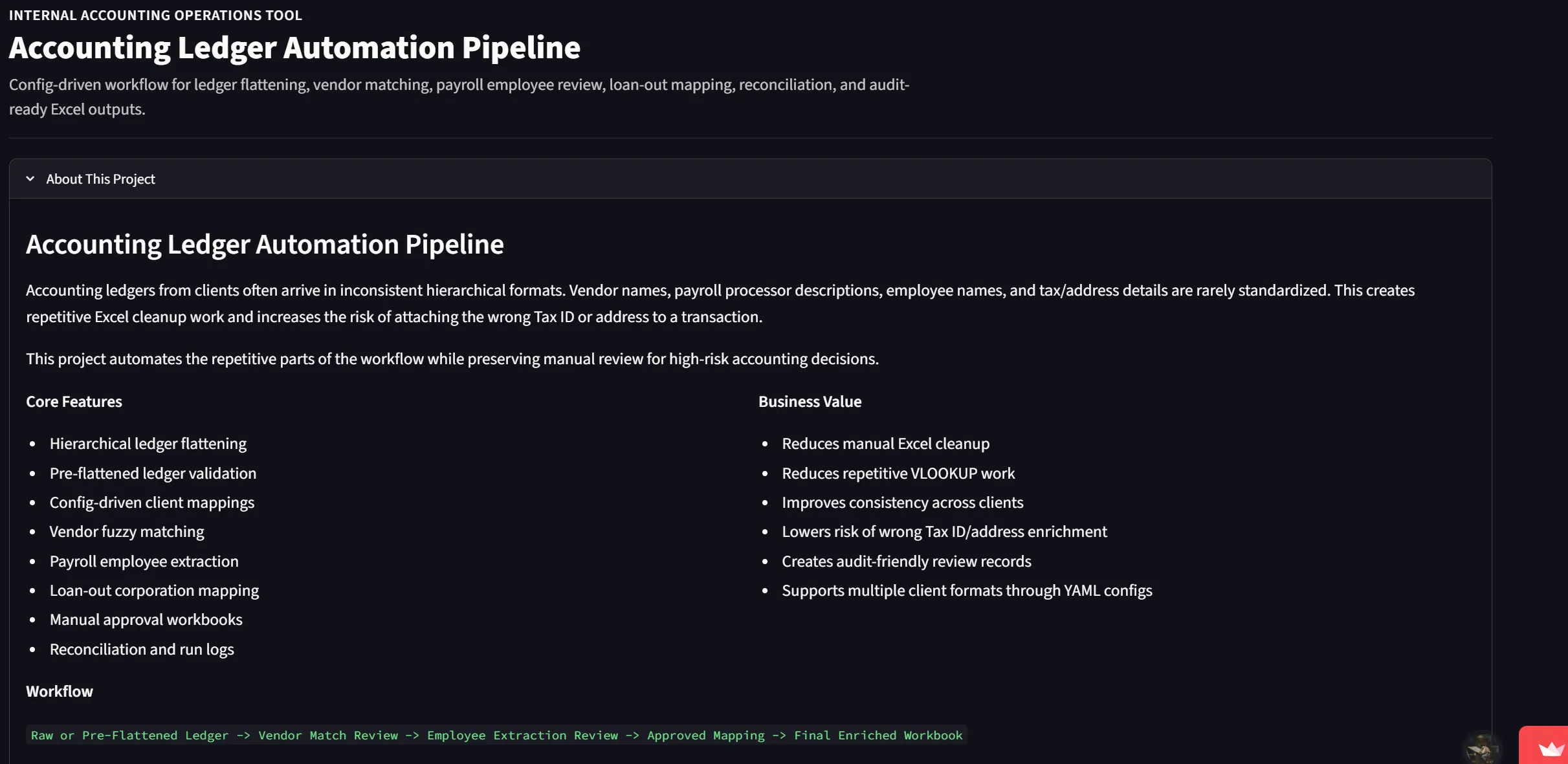
At a glance
Project overview
Case study content
The problem started on an ordinary afternoon of manual bookkeeping
There was no assignment brief, no instructor handing this out. This project began with a very real observation from hands-on accounting work: every time a ledger gets exported out of the system, it comes out hierarchical — hard to read directly, and before it can be used for bookkeeping, tax reporting, or audit review, it always goes through the same repetitive steps: cleaning the ledger, flattening it, matching vendor names, looking up Tax IDs, filling in addresses, correctly identifying employees in payroll transaction rows, and finally compiling everything into a workbook ready for review.
Looking at that workflow, the question wasn’t “how do I do this faster in Excel” — it was: could this entire pipeline be automated, while still keeping a human checkpoint at the points where the risk of getting it wrong is highest?
Role: solo, end to end
As a personal project, the entire lifecycle — from identifying the problem, designing the pipeline, writing the processing logic, to building the interface and documentation — was handled by one person:
- Reframed a real business workflow into a structured software architecture
- Wrote the logic to flatten hierarchical ledgers into clean transaction-level rows
- Built vendor matching using fuzzy matching (RapidFuzz) to suggest matches against a vendor master
- Designed employee identification from payroll descriptions, with dedicated handling for loan-out corporations
- Designed a human-in-the-loop workflow: the system only suggests, a human always makes the final call
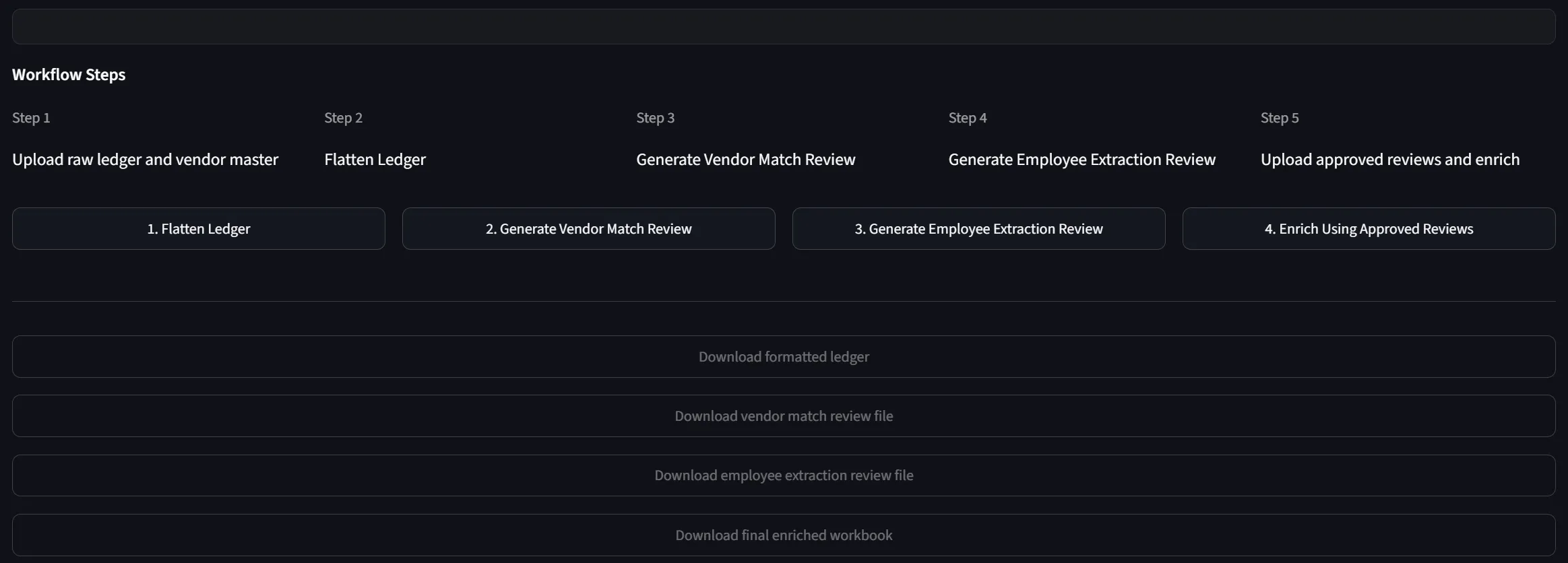
- Built both a CLI and a Streamlit interface to run the pipeline
- Designed a YAML-based config so the same pipeline could be reused across different ledger formats
- Prepared a synthetic dataset so the project could be published publicly on GitHub without exposing real work data
The process: automating without over-automating
The hardest part wasn’t writing the matching logic — it was deciding where the system should decide on its own, and where a human absolutely has to sign off. In accounting, a wrong match can have real consequences, so the design kept coming back to one question: if the system isn’t confident, what should it do instead of guessing?
That answer became a pipeline with clearly defined stages:
- Read either a raw hierarchical ledger or a pre-flattened ledger
- Flatten the hierarchical ledger into standardized transaction-level rows following a unified schema
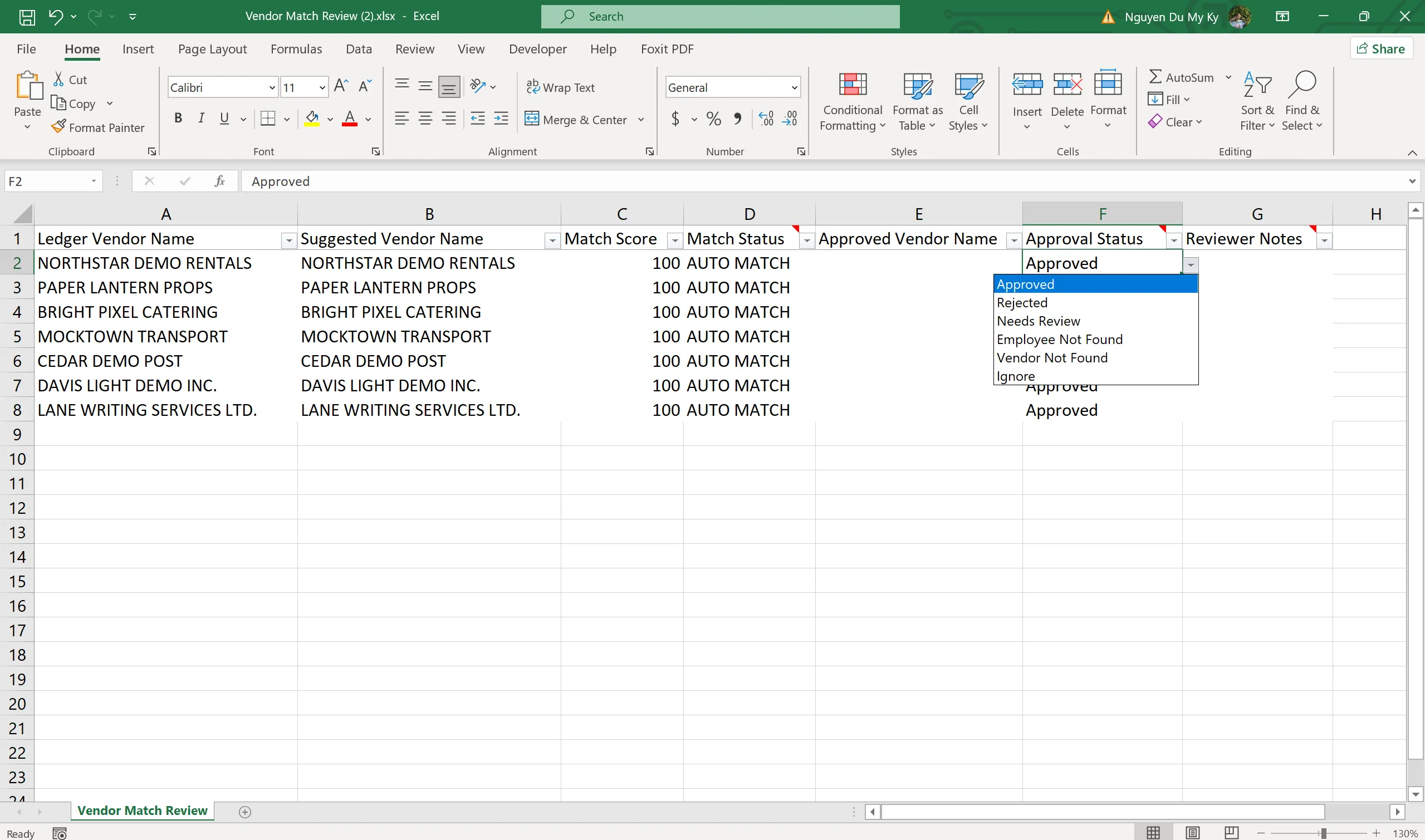
- Use fuzzy matching to suggest the corresponding vendor from the vendor master, then export a Vendor Match Review workbook for human verification
- Identify payroll rows, extract employee-identifying tokens from the description, and match against the payroll master or loan-out alias — also exported as an Employee Extraction Review workbook
- The reviewer updates an Approval Status for each suggestion
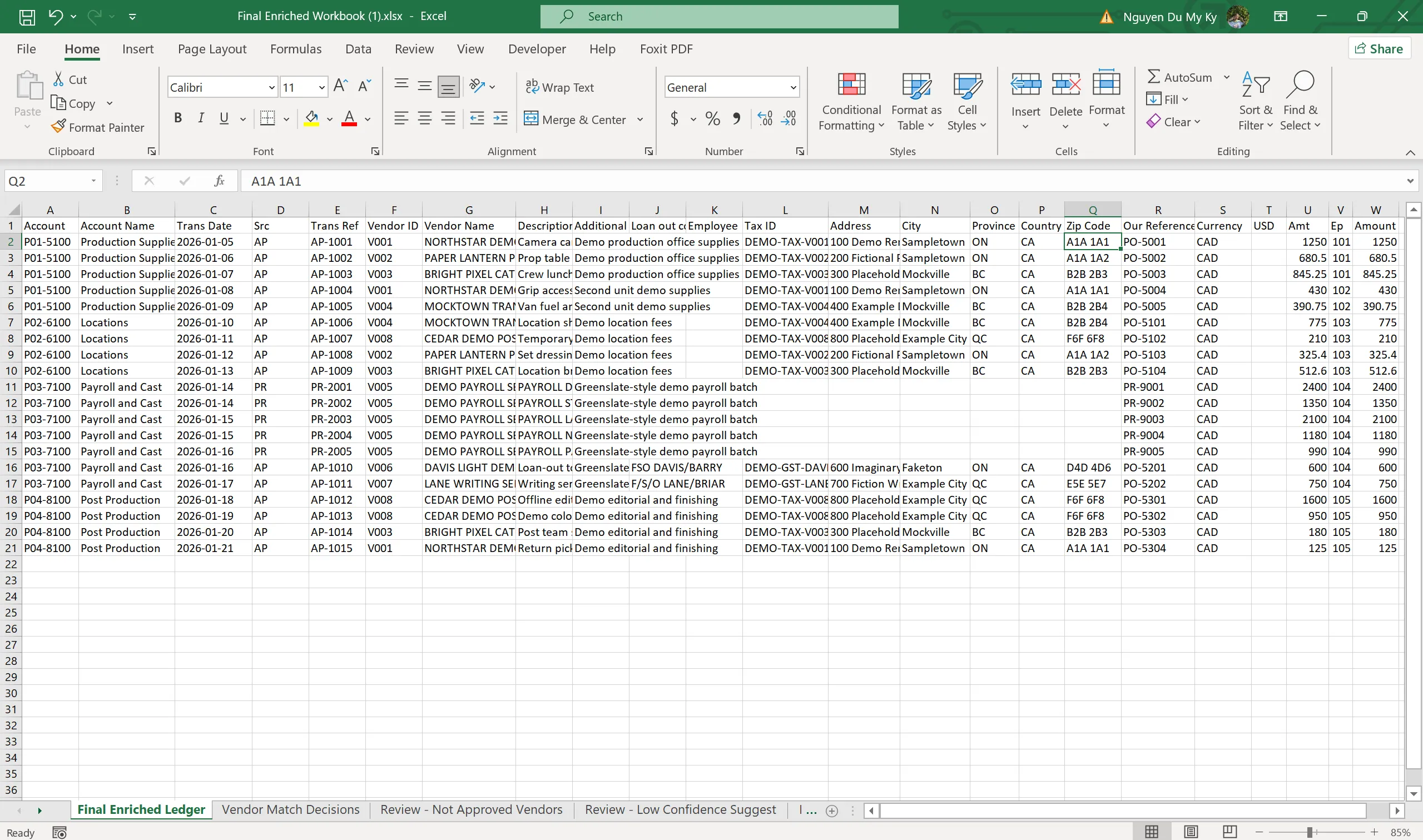
- Only approved suggestions get carried into the Final Enriched Workbook, which includes the complete Tax ID, address, employee data, and control sheets
- The entire run is logged through a run log and reconciliation summary, making it easy to trace back during an audit
This design means the system never silently decides on ambiguous cases — it only removes the repetitive grunt work and surfaces well-grounded suggestions, while the final call always stays with the accountant.
Results
- A complete end-to-end ledger processing pipeline, available through both a CLI and a Streamlit interface
- Supports two input modes: raw hierarchical ledgers and pre-flattened ledgers
- Generates the Vendor Review, Employee Review, and Final Enriched Workbook
- Clear approval gating — no data gets enriched until a human has signed off
- Run log, reconciliation summary, and exception sheets included for review and audit purposes
- Repository reorganized into a clean structure, with a safe public demo using synthetic data for GitHub
The biggest takeaway from this project
The real value here isn’t in the matching code — it’s in the approach: not starting from a tutorial, but starting from a genuine pain point at work. This project tells a clear story — noticing a repetitive, error-prone, manually-driven process, then redesigning it into a structured system with built-in risk control and reusability.
It also clarified an important lesson: good automation isn’t about removing humans from the loop entirely — it’s about cutting out the repetitive parts so people can spend their time on the judgment calls that actually need it.
If I did it again
- Write more comprehensive automated tests for the flattening, vendor matching, and employee extraction modules
- Add more detailed schema validation for input workbooks
- Separate the business logic into a dedicated service layer for easier extension
- Add authentication if this were ever deployed in a real internal environment
- Add an architecture diagram and a demo walkthrough video to make it easier for portfolio viewers to follow
Note: all real work data stays local. The public GitHub version only uses synthetic data created specifically for demo purposes.
Case study
Project Screenshots


Start a conversation
Have a question worth exploring?
I’m open to data roles, thoughtful collaborations, and conversations about the work behind this case study.
Get in touch