Pillar project / 03
Building a Data Model in Power BI
Transforming sales data from a flat file into a proper BI star schema
At a glance
Project overview
Case study content
The problem: when an entire business runs on a single Excel file
The scenario mirrors a situation common in small businesses: all sales data lives in one single Excel flat file. It feels convenient in the short term, but it drags along a chain of problems — duplicated data, no real way to analyze across multiple dimensions, no room to scale as data grows, and most importantly, an inability to meet what a real Business Intelligence system actually requires.
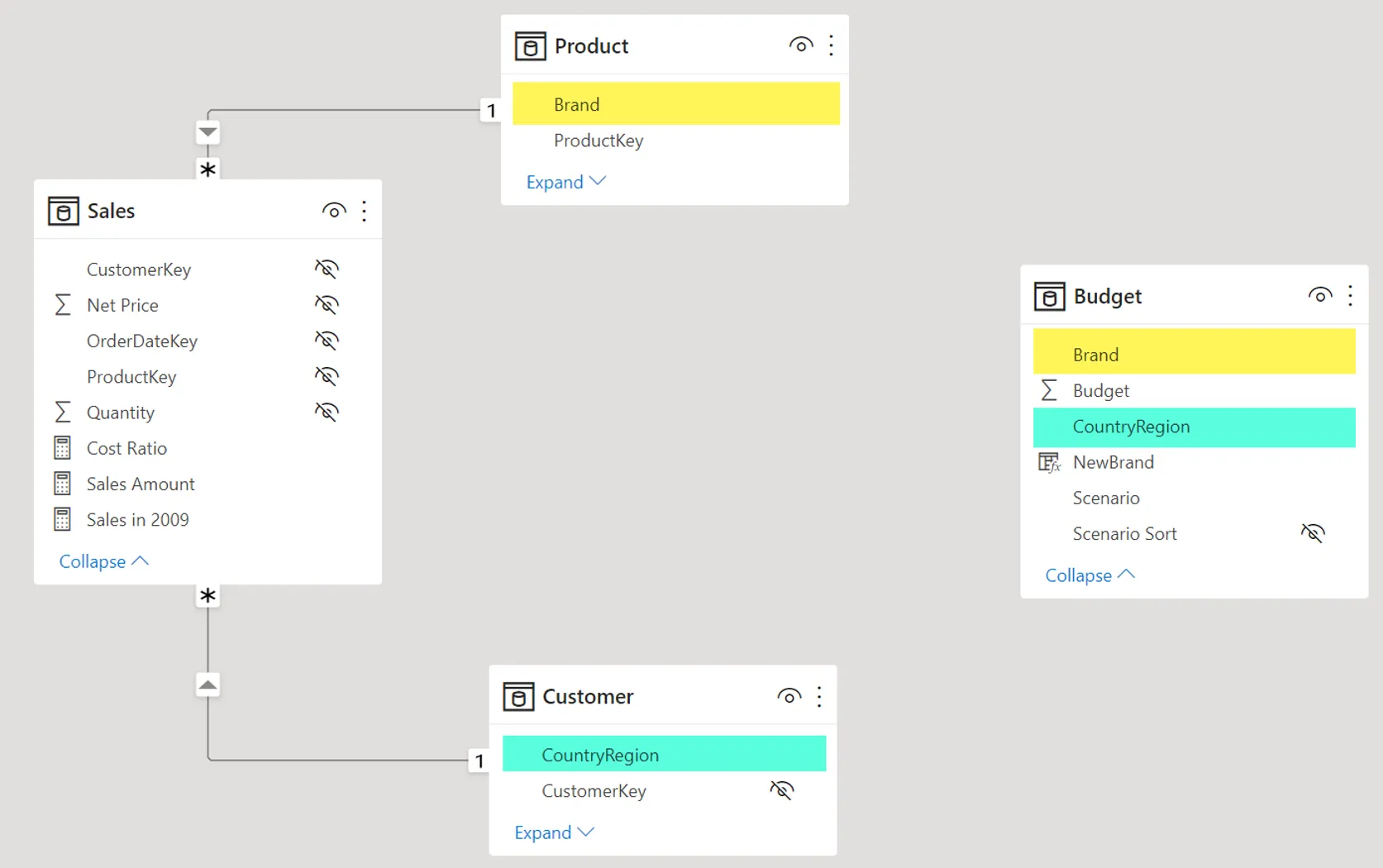
The project follows the Building a Data Model hands-on exercise using Contoso’s sales data, with the goal of rebuilding the entire dataset following a proper Star Schema, establishing relationships between tables, using DAX for dynamic calculations, and tackling a harder problem: integrating budget data with sales data of different granularity through a Bridge Table.
What sets this project apart from many other Power BI exercises: the focus isn’t “make a pretty dashboard” — it’s the foundation behind it: ETL, data modeling, relationships, and filter context — the things that determine whether a report can actually be trusted.
Role: from ETL to teaching it back to the whole class
Within a 5-person team, the work centered on three main areas:
- Data connection and cleaning (basic ETL) — the foundation for the entire data model that followed
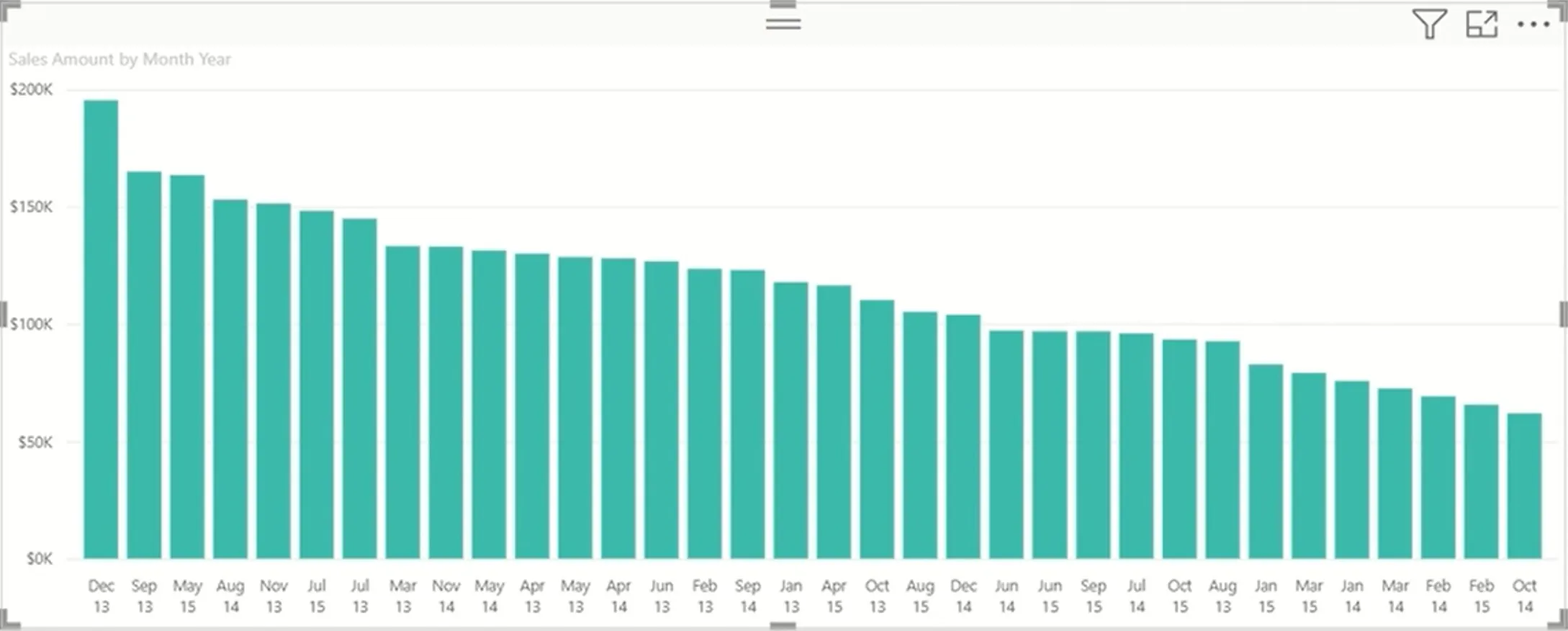
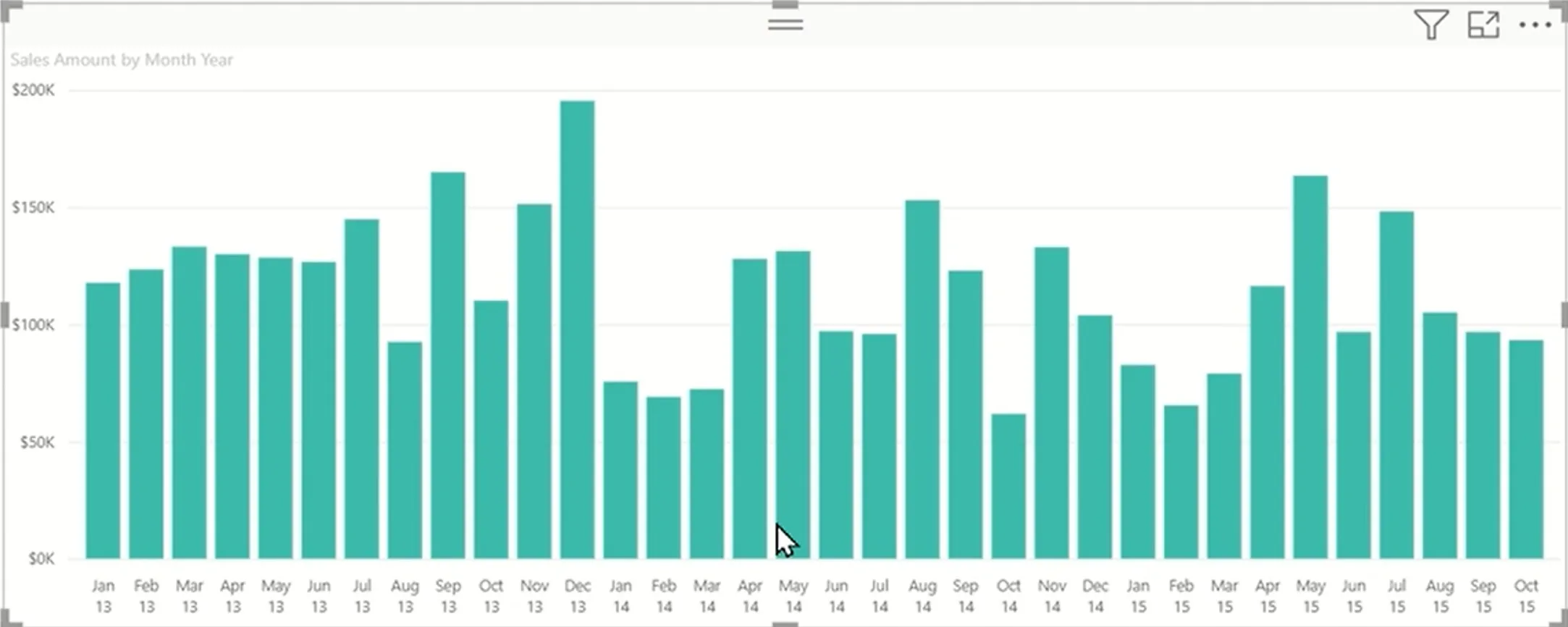
- Calculated Columns for handling time-based data, supporting cyclical analysis
- Designing and preparing two end-of-chapter practice exercises, then personally solving them and recording demo videos walking the rest of the team through the entire Power BI workflow
The part that took the most time was building those practice exercises and demo videos — because teaching it to others meant going through the entire process first, verifying the data model was correct, before being able to explain it accurately to anyone else.
The process: understanding the data model before touching the dashboard
The core challenge was reconciling budget data and sales data that had different grains — budgets are typically set monthly/by region, while sales data is granular down to individual transactions. Connecting these two tables directly led to inconsistent numbers, so the solution was a Bridge Table that linked them correctly without breaking the consistency of the model.
The workflow followed the “data model first, dashboard second” principle throughout:
- Connect to the data source and clean it using Power Query
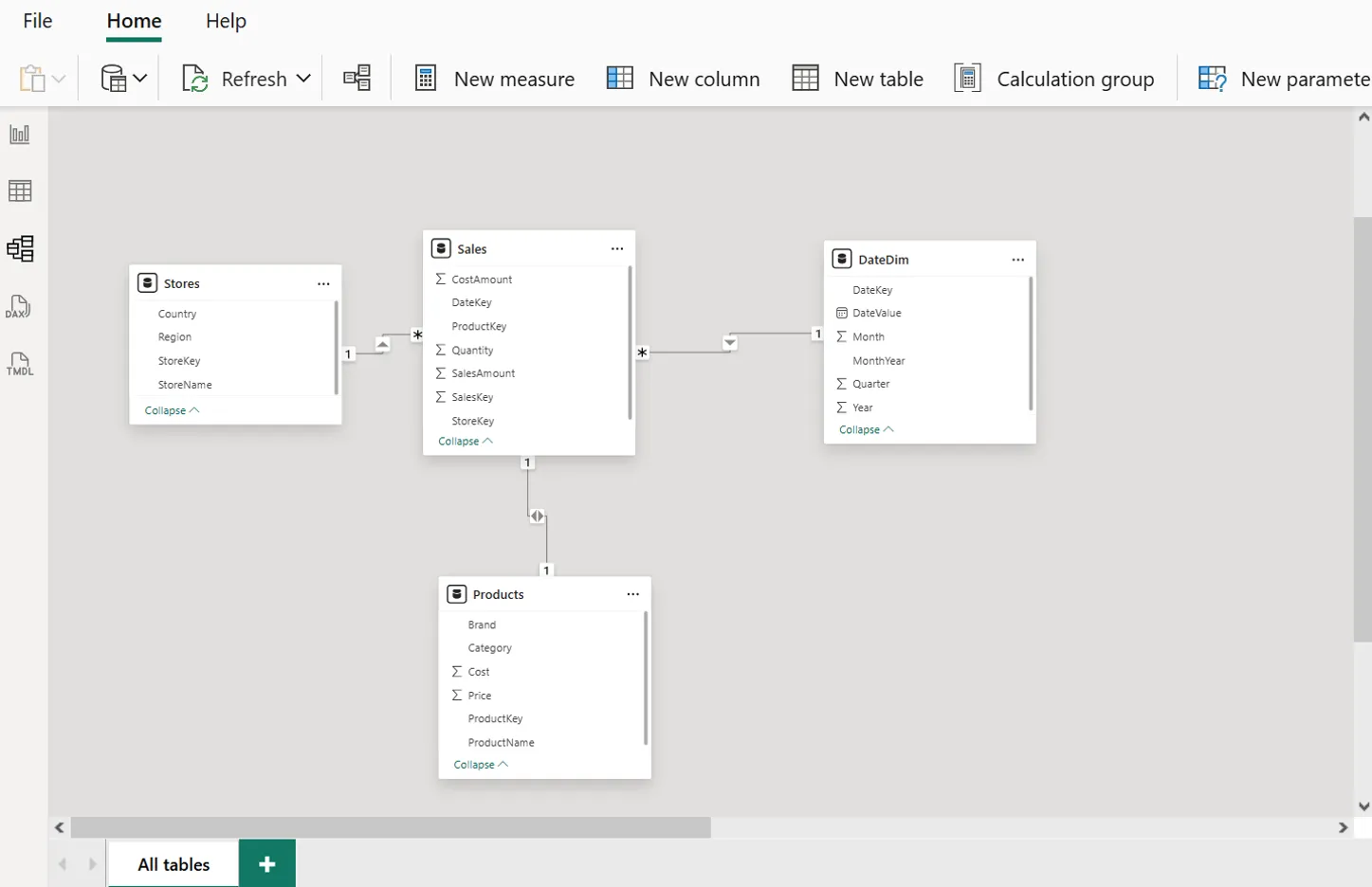
- Restructure the data into a Star Schema, clearly separating Fact and Dimension tables
- Establish relationships between tables, resolving grain mismatches with a Bridge Table
- Build Calculated Columns and DAX Measures for dynamic calculations
- Verify how Filter Context affects the result of each Measure under different filter combinations
- Only then build the dashboard, on top of a data model already verified to be correct
Results
- Built a complete data model following the Star Schema standard
- Established full relationships between Fact and Dimension tables
- Cleaned data using Power Query and performed basic ETL
- Used DAX Measures and Calculated Columns to solve dynamic calculation problems
- Understood and correctly applied how Filter Context affects Measure results
- Designed, solved, and personally taught two practice exercises to the team — going beyond the assigned scope to proactively create extra learning value for others
The biggest takeaway
Before this project, Power BI was often understood simply as “a charting tool.” After actually going through the data modeling process, the key takeaway was: the data model matters more than the dashboard. A beautiful dashboard sitting on top of a flawed data model will always produce wrong numbers — just very convincingly wrong ones.
Understanding the difference between Measures and Calculated Columns, along with the Filter Context mechanism — why the same Measure can return different results depending on which filters are applied — turned out to be exactly the foundation needed before going deeper into Data Analytics, Data Engineering, and Business Intelligence in later coursework.
If I did it again
I’d want to extend the practice by building a complete dashboard on top of the data model already designed, apply more advanced DAX techniques, and further optimize the data model to better simulate real-world Business Intelligence problems in an actual business setting.
Case study
Project Screenshots
Start a conversation
Have a question worth exploring?
I’m open to data roles, thoughtful collaborations, and conversations about the work behind this case study.
Get in touch