Pillar project / 04
Predicting Customer Credit Scores
Comparing classification models in Orange Data Mining
At a glance
Project overview
Case study content
The problem: making creditworthiness assessment more objective
In finance, evaluating a customer’s creditworthiness plays a critical role in loan approval and risk management. Doing this manually isn’t just time-consuming — it’s also vulnerable to subjective judgment, where two different reviewers could reach different conclusions on the exact same application.
The project used the Credit Score Classification Dataset, containing customer profile and credit history information, with the goal of building a complete data mining workflow to predict credit ratings — helping classify customers into credit groups based on historical data, rather than relying purely on manual assessment.
Role: directly building and evaluating the entire workflow
Within a 3-person team, the work focused on directly running the data analysis workflow in Orange Data Mining, from data processing through to model training and evaluation:
- Took part in data preprocessing, correlation analysis between attributes, and removing unnecessary attributes
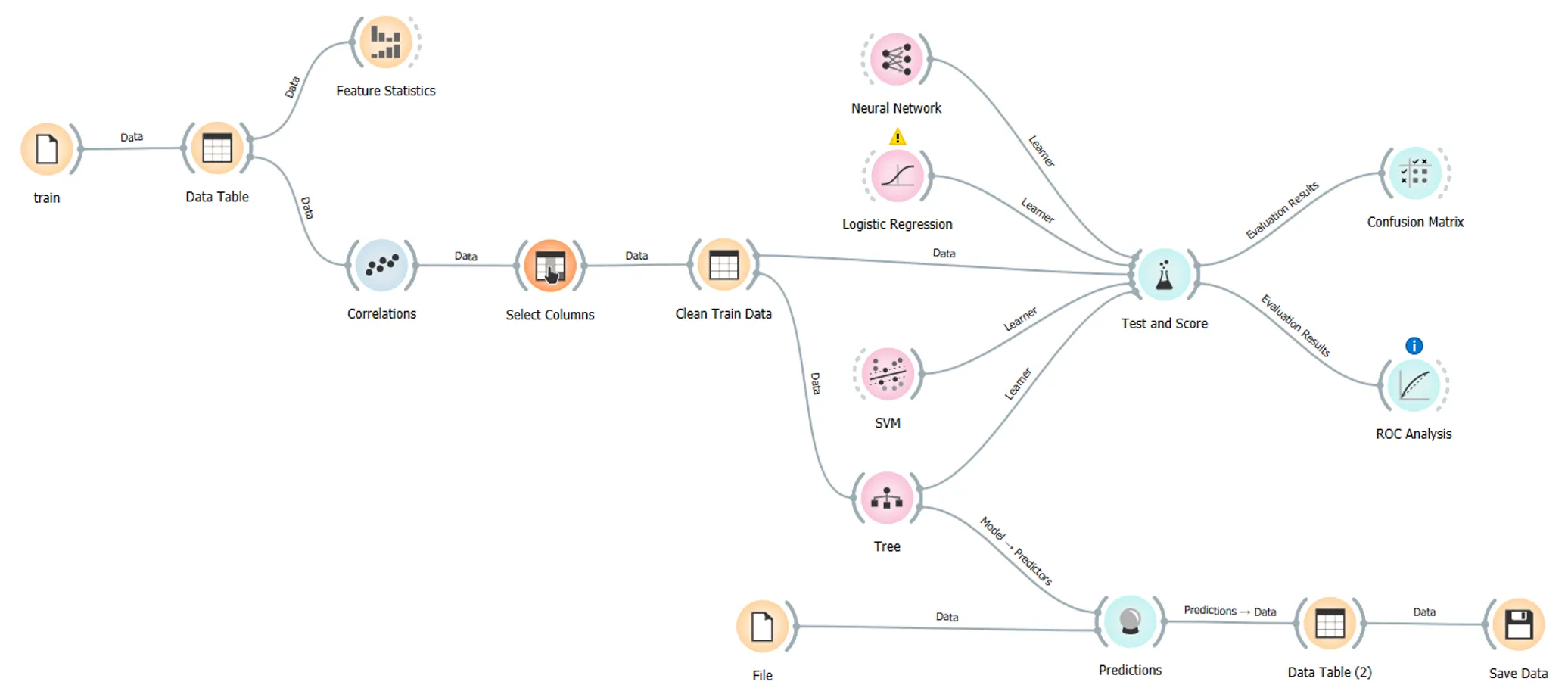
- Built a complete data processing workflow in Orange
- Trained and compared multiple classification models
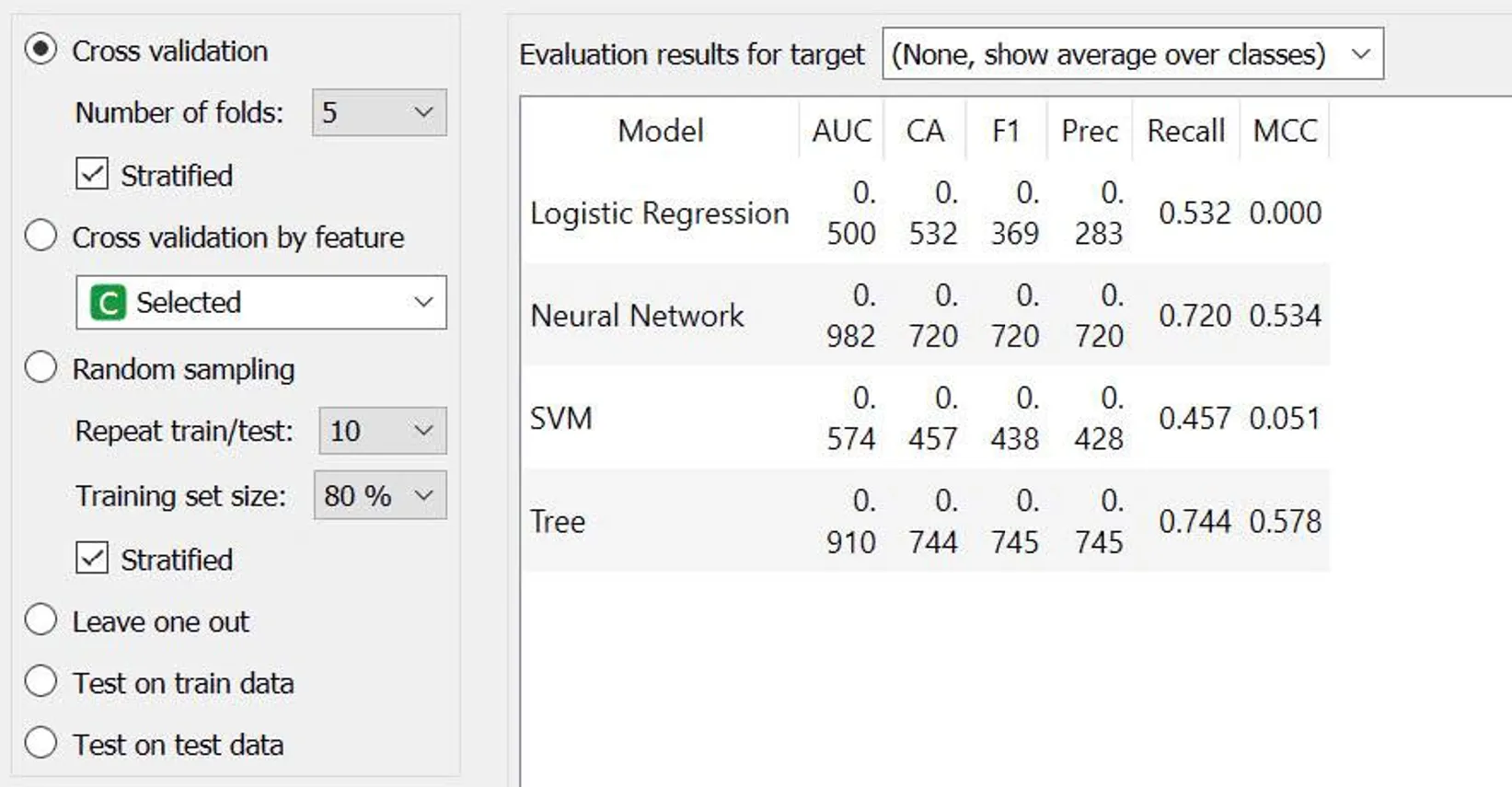
- Evaluated each model’s effectiveness using standard classification metrics
- Completed the report and presented the team’s findings
The process: from raw data to choosing the right model
One of the most important lessons from this project: model selection shouldn’t be based on accuracy alone — especially for credit classification, where misclassifying a high-risk customer as “eligible for a loan” can have far worse consequences than being overly strict with a good customer.
The workflow followed these steps:
- Collect and explore the Credit Score Classification dataset
- Preprocess the data — handling missing values and normalizing inputs
- Analyze correlations between attributes, removing redundant or low-predictive-value features
- Build the workflow in Orange Data Mining
- Train and compare four classification models: Logistic Regression, Decision Tree, Support Vector Machine (SVM), and Neural Network
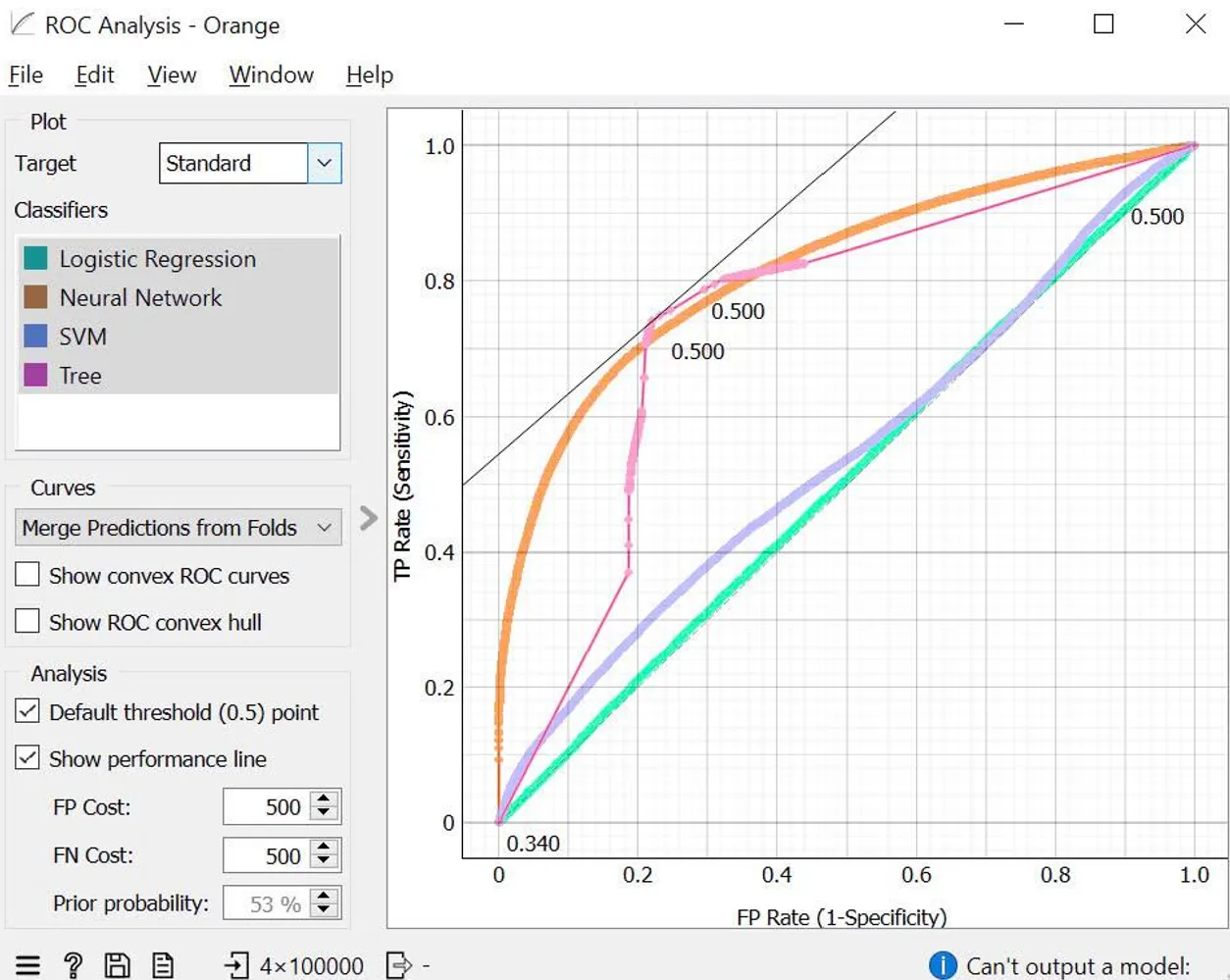
- Evaluate each model across multiple metrics: Confusion Matrix, ROC Curve, Precision, Recall, F1-Score, and AUC
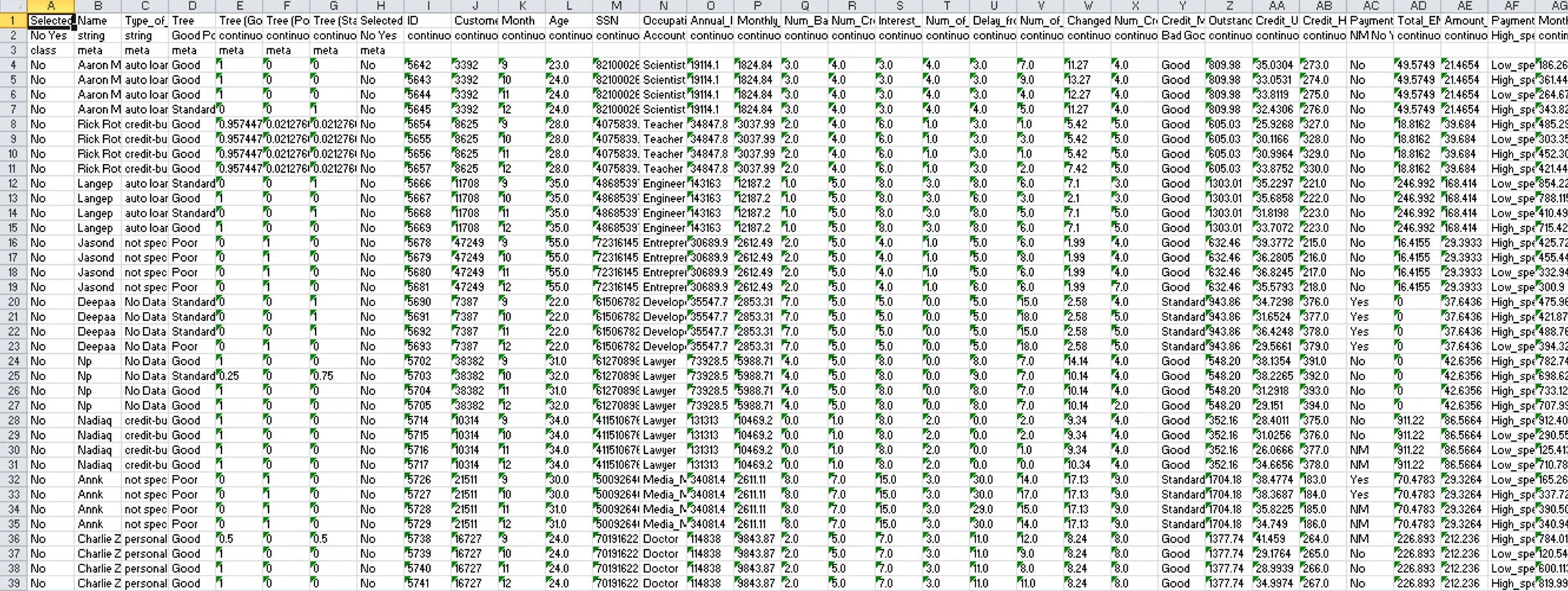
- Select the most suitable model and run predictions on new data
The results showed that Decision Tree delivered the best performance on this dataset — an interesting finding, since more complex models like Neural Networks don’t always outperform, particularly on tabular data with fairly clear grouping rules.
Results
- Completed the full data classification workflow in Orange Data Mining
- Compared the performance of 4 different Machine Learning models on the same dataset
- Evaluated models comprehensively using AUC, Precision, Recall, F1-Score, and Confusion Matrix — not relying on accuracy alone
- Identified Decision Tree as the most suitable model for this specific problem
The biggest takeaway
This was the first time approaching a Machine Learning workflow systematically — from understanding why data needs careful preparation before modeling, to grasping what each evaluation metric actually means. An important lesson: two models can have nearly identical accuracy but very different Precision and Recall — and which model to choose depends on which type of error is more “costly” in the real-world problem.
Limitations
- The entire workflow was built in Orange Data Mining per the course requirements, which limited customization compared to coding directly in Python
- Exploratory Data Analysis (EDA) wasn’t carried out in detail
- Model hyperparameters weren’t tuned
- Feature Importance wasn’t fully visualized
If I did it again
- Rebuild the entire pipeline in Python with scikit-learn instead of Orange, for deeper customization
- Conduct more thorough EDA before training
- Apply appropriate Feature Engineering and Feature Scaling
- Experiment with stronger models such as Random Forest or XGBoost
- Tune hyperparameters using Grid Search or Random Search
- Package the entire workflow into a fully reproducible Jupyter Notebook
Case study
Project Screenshots
Start a conversation
Have a question worth exploring?
I’m open to data roles, thoughtful collaborations, and conversations about the work behind this case study.
Get in touch